 CommentCrate
How to run a giveaway from comments on Instagram, YouTube or TikTok
From the post to the announcement: what to write, when to scan, how to draw and what to keep.
1. Write the giveaway rules first
Most disputes come from vague rules. Write them before you post, in the post itself, and do not change them afterwards. Here is a text you can adapt:
GIVEAWAY: win [prize]. To enter, comment on this post and tag [1] friend. One entry per person. Entries close on [date] at [time, time zone]. [Number] winner(s) are drawn at random from the comments and announced here within [X] days. Open to people in [countries], aged [age] or older. This giveaway is not sponsored, endorsed or run by [platform].
Add what the platform asks of promotions and the laws that apply to you: this text is a starting point, not legal advice. The fair giveaway checklist has the full list. A longer, downloadable version: giveaway rules template.
2. While it runs
- Do not edit the rules after people have entered. If you must, say so in a pinned comment.
- Keep a copy of the post text as it was published; a screenshot is enough.
- Answer questions in the comments rather than in private messages, so everyone sees the same rules.
3. At the deadline, scan the comments
Scan soon after the closing time: open the post and press Scan comments. Comments that the platform hides or filters may not be in the list, and a scan shows what the page showed at that moment. If the scan stops early, the panel says why; scan again or read the FAQ. The free plan reads up to 200 top-level comments per post; for a bigger giveaway, Pro removes that limit.
4. Draw winners and backups
Count each person once, ignore comments posted after the deadline and draw at random, with backups in case a winner does not answer.
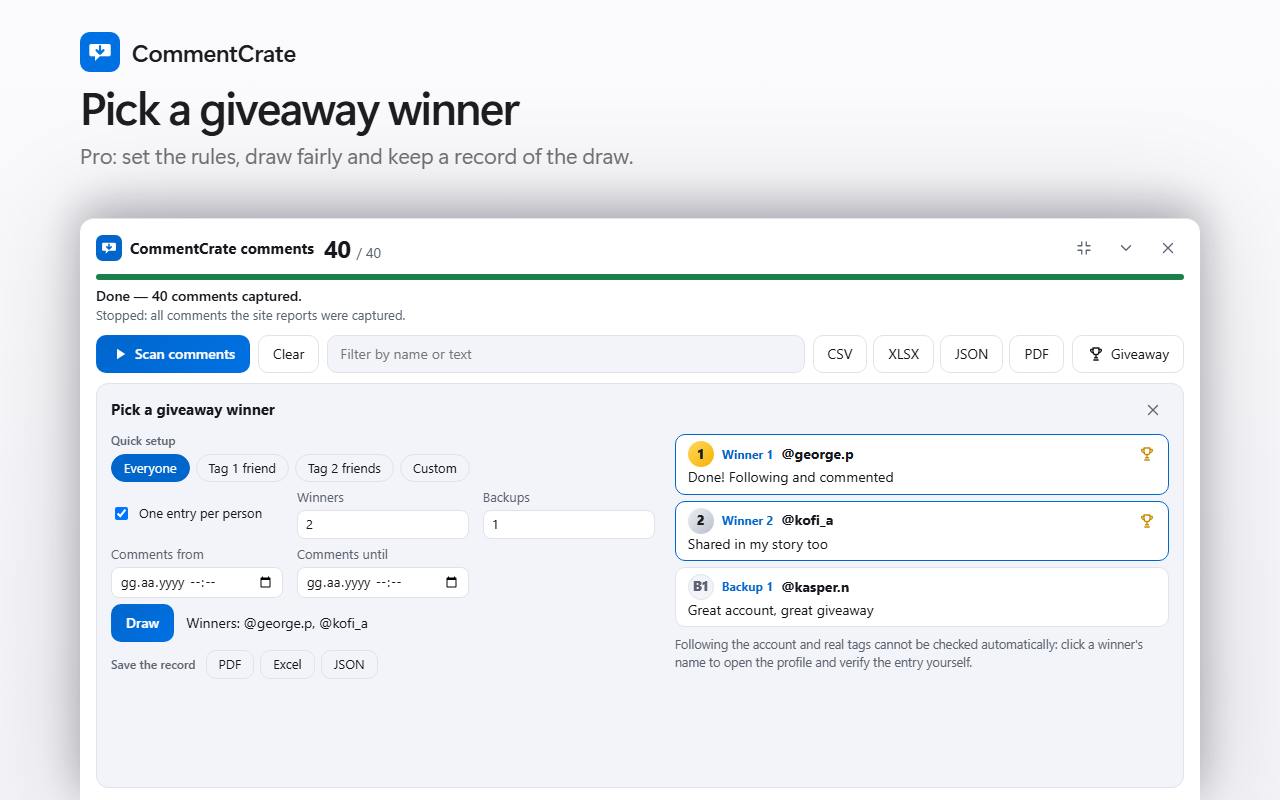
- In CommentCrate Pro, press Giveaway, choose a quick setup (everyone, tag 1 friend, tag 2 friends), set the date range to your deadline and press Draw. The winners come from your browser's secure random number generator.
- Without Pro, export the file and draw with a spreadsheet formula: see pick a giveaway winner from comments.
- Draw at least two backups and use them in order.
5. Check, announce and keep a record
- Open the winner's profile and check the conditions you set, such as following you or tagging friends. The extension cannot verify those.
- Announce the winner and how they were chosen, as the rules promised.
- Save the record (date, rules, entry counts, winners, backups) as a PDF, Excel or JSON file: see giveaway record.
- Delete the list of comments when you no longer need it: it contains other people's content.
Run the giveaway in CommentCrate
Open the post, scan and press Giveaway: the rules, the draw, the profile links and the record are in one place, in your browser, and nothing is uploaded. The free plan shows the tool and how many entries qualify; the draw itself is part of Pro. Read about the giveaway picker or see pricing.