 CommentCrate
Facebook giveaway picker: draw winners from post comments
Scan your giveaway post, set the rules and draw winners and backups in your browser.
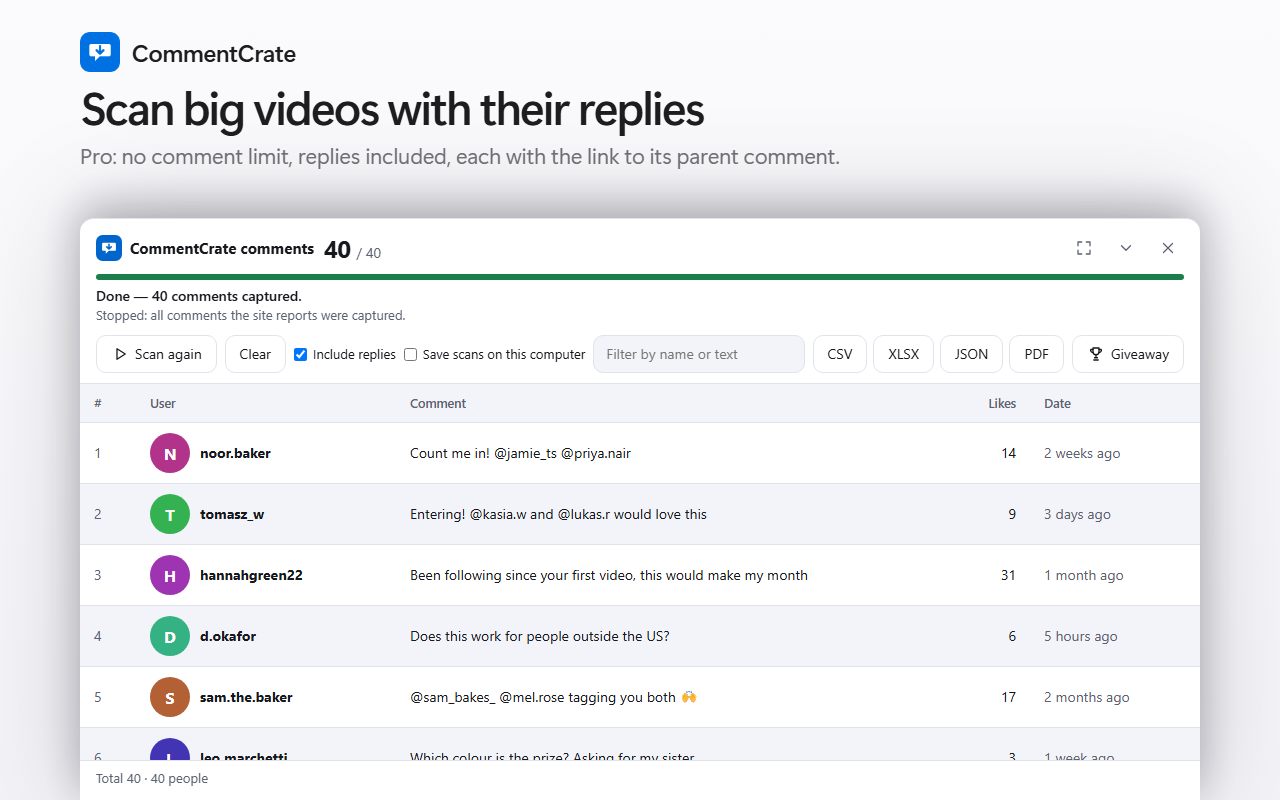
1. Scan the post
Allow CommentCrate on Facebook once, open the giveaway post, press Scan comments and wait until it is done. Replies are scanned with Pro. The details are in how to export Facebook comments.
2. Set the rules
Open the Giveaway tool and choose the rules you announced: one entry per person, a keyword the comment must contain, tagged friends, words or people to exclude, how many winners and backups. The tool shows how many comments qualify before you draw. People are told apart by their profile where Facebook shows one, so two people with the same name are not merged.
3. Draw and keep the record
Press Draw. The winners are picked at random on your computer and shown ranked, with backups. A winner’s name opens their profile when Facebook gave an address. Save the record as PDF, Excel or JSON and keep it as your proof: the giveaway record.
Good to know
- Facebook shows only relative times, so a date range cannot be used. Scan right after your deadline, because comments posted later cannot be filtered out afterwards.
- Facebook may hand over fewer comments than the post shows. The draw works on what the scan captured, so look at the count and, if the panel says the scan stopped early, scan again before you draw.
- A trial draw with one winner is free; several winners, backups and the saved record are Pro.
- Facebook has its own rules for promotions, including how you may ask people to enter. You are responsible for them and for the law in your country: fair giveaway checklist.