 CommentCrate
Customize your giveaway draw: animation, colors and logo
Make the draw look like yours: pick how the winners appear, put your title and logo on the screen and on the winner picture, and post the result.
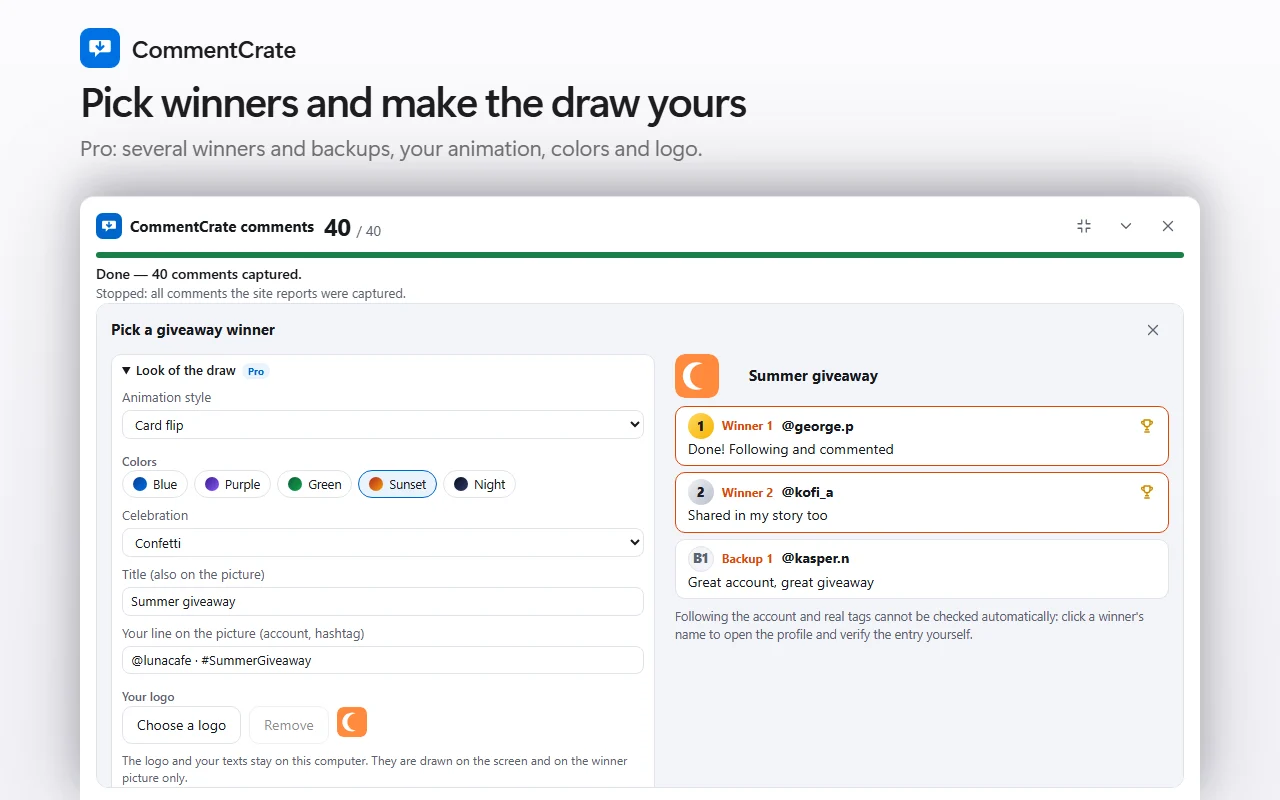
Where the settings are
Open the Giveaway tool and expand Look of the draw. It is a Pro setting: on the free plan the draw always uses the default look, and the section says so. What you choose is remembered on this computer, so the next draw starts with the same look.
The animation
There are four styles. The name reel flickers through the names before it stops on the winners, the countdown counts 3, 2, 1 and then shows them, card flip turns the winners’ cards over one after another, and one by one shows each winner after a short flicker. Pick the one that suits a live stream or a quick story.
Colors and celebration
The five color themes are blue, purple, green, sunset and night. A theme changes the gradient of the winner picture, the accent of the winner cards on the screen and the colors of the confetti. The celebration can be confetti, stars or nothing at all; with nothing, the draw does not wait after the result.
Your title, your line and your logo
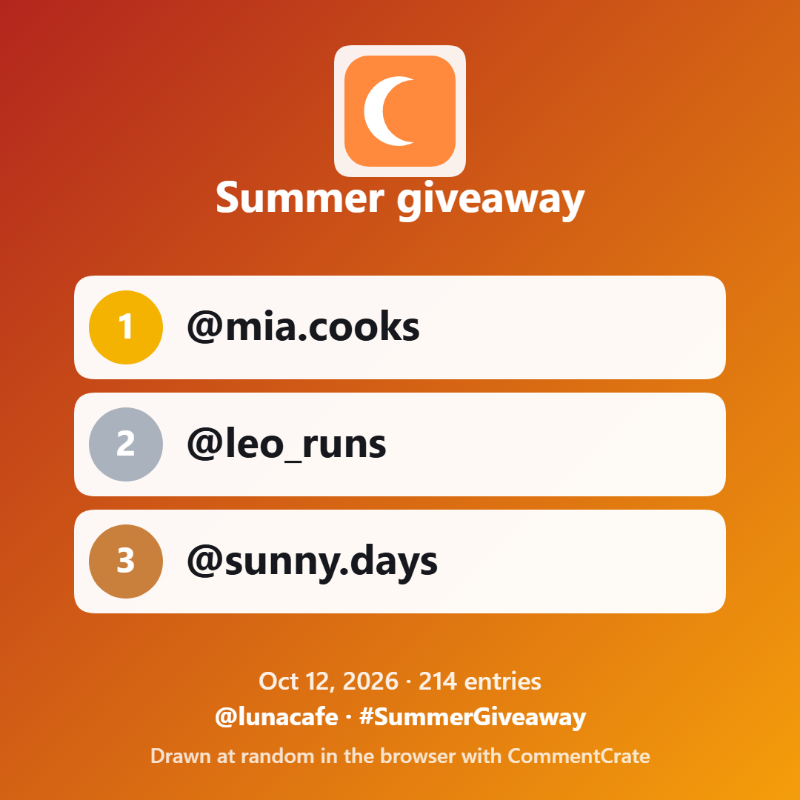
The title replaces “Giveaway winners” on the screen and on the picture. Your line can hold an account name or a hashtag and sits above the CommentCrate footer. The logo can be a PNG, JPEG or WebP file of up to 5 MB. It is resized on your computer and replaces the trophy, on a white plate so that a dark logo still reads on any color. The logo and your texts stay on your computer: they are never uploaded and they are drawn only on the screen and on the winner picture. The line “Drawn at random in the browser with CommentCrate” at the bottom of the picture stays whatever you choose.
The winner picture
After the draw, Winner picture in the save options writes a square PNG with up to five winners, ready to post. It is drawn on your computer, in the colors you chose and with your title, your line and your logo.
The animation does not change who wins
The winners are decided before the animation starts, so the animation only decorates and cannot change who wins. If your system asks for reduced motion, nothing moves and the winners appear at once.
Good to know
- The look is part of Pro. The record you save (PDF, Excel or JSON) does not carry the logo or the colors: the giveaway record.
- Announce the rules first and the winner afterwards: how to announce a giveaway winner.
- Plans and prices: pricing.